Table of Contents
- 📝 Reviewing Landing Pages Copy ↴
- 🖼️ Replace Landing Pages Images ↴
- 🎬 Replace Webinar Video ↴
📝 Reviewing Landing Pages Copy ↴
- Go to your Editor
- Access your Funnels in Two Ways:
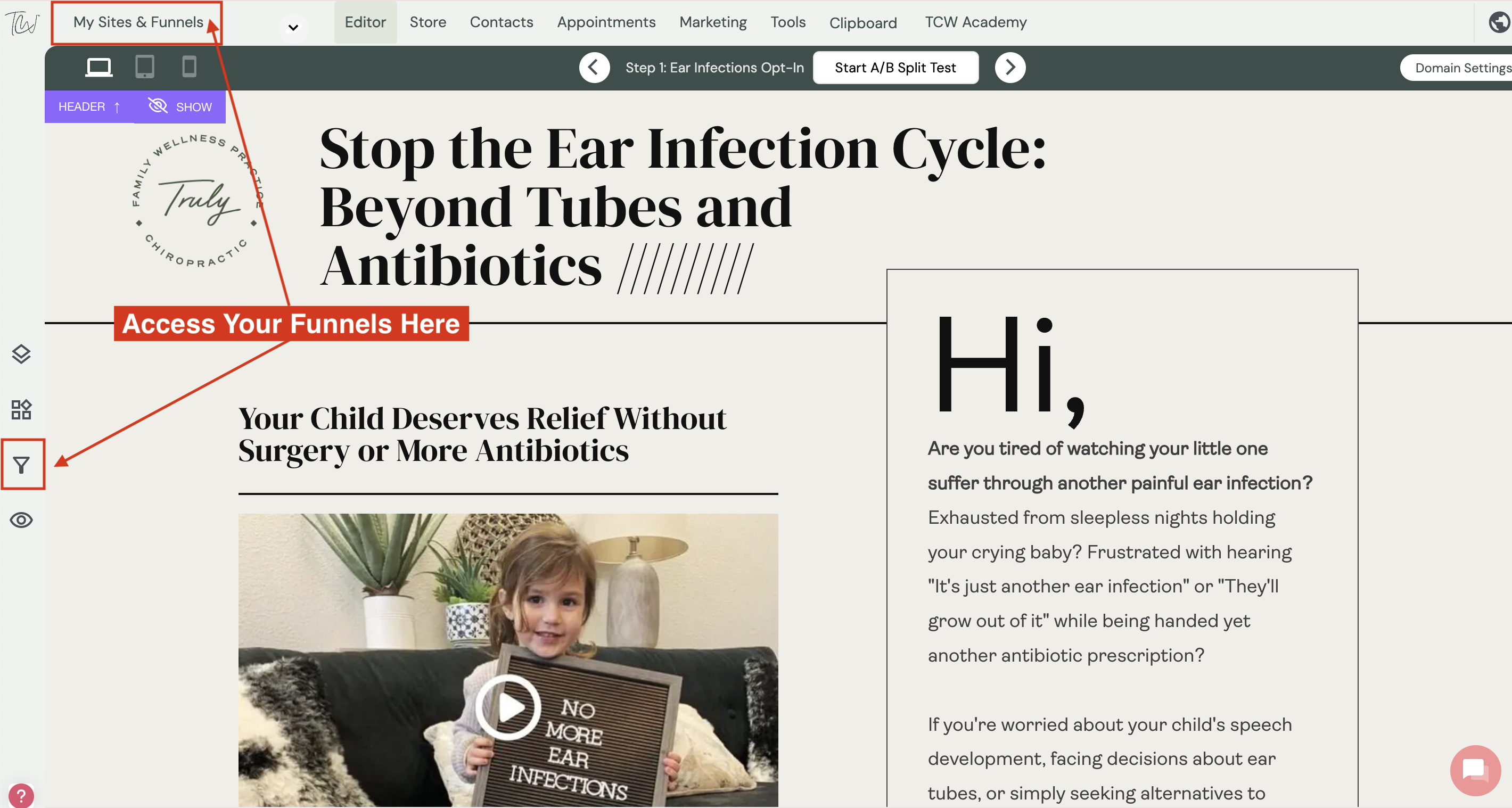
- Select the Funnel you want to review
- Make sure that your personal and business information is added correctly, replacing the templates' custom fields previously set to save you editing time by clicking the "EYE" to preview your landing pages
- Update the Speaker's information/bio (You ONLY do it ONCE), this is a Global Column, therefore ALL your funnels will be updated with the information and photo you update ONCE.
- Update the Testimonial (You ONLY do it ONCE), this is a Global Column, therefore ALL your funnels will be updated with the information and photo you update ONCE.
- Repeat all the above steps for every funnel you want to launch or work on.
🖼️ Replace Landing Pages Images ↴
Good Web and Email design is based on DESIGNED ELEMENTS! Yes, when you see a cool website or email, it is because it has great, professionally designed images or videos. Therefore, we have created Canva Kits based on the Funnel look you chose for your project:
Funnel look of choice ↴ | Landing Pages Elements ↴ |
| Retro Vibes → | Vintage Vibes Landing Pages Canva Template |
| Bright Modern Vibes → | GenZ Vibes Landing Pages Canva Template |
🎬 Replace Webinar Video ↴
Need support? You're never on your own inside TCW™. If you have questions or need help applying what you’ve learned, reach out anytime via our 💬 in-App Chat, send us an email at 📧 support@thecontentwell.com, or join one of our 🗓️ weekly Q&A support calls to get live feedback and guidance.